TMU Student Portal
Case Study
PROJECT OVERVIEW
Observation & Understanding
The TMU student portal was the primary platform students used to manage tuition, courses, schedules, grades, and academic progress. However, the experience felt overwhelming due to cluttered layouts, fragmented navigation, and inconsistent accessibility practices.
The goal of this redesign was to simplify high-priority student workflows while improving accessibility, reducing cognitive load, and increasing confidence when completing academic and financial tasks.
RESEARCH & INSIGHTS
Methodology
I conducted heuristic evaluations, user interviews, surveys, contextual inquiry, and accessibility reviews to understand where students struggled most.
Research Findings
Students felt overwhelmed by dense financial information
Navigation did not match student mental models
Important actions were difficult to find
Accessibility issues affected readability and focus
Students relied on workarounds like screenshots and reminders
This caused:
high cognitive load
task confusion
financial stress
accessibility barriers
increased dependency on support systems
I interviewed 12 students across different academic years, including international and neurodivergent students.
One major insight emerged:
Students needed the portal to guide them through tasks clearly instead of forcing them to interpret large amounts of information independently.
Research Objectives
I wanted to understand:
What tasks students struggled with most
Which workflows caused the highest stress
How students mentally organized academic information
Which accessibility barriers impacted usability
What “clarity” meant from a student perspective
I interviewed 12 TMU students across different programs and academic years.
Participants included:
First-year students
International students
Neurodivergent students
Graduate students
Students with accessibility accommodations
Key Interview Questions
“What is the most stressful part of using the student portal?”
“What tasks take longer than expected?”
“What information do you check most often?”
“What makes the portal confusing?”
“Describe a time you made a mistake using the system?”
DEFINE
Problem Statement
TMU students struggled to manage academic and financial tasks because the portal presented dense information, inconsistent navigation, and inaccessible layouts.
Design Challenge
How might we redesign the portal to simplify workflows, improve accessibility, and help students complete tasks more confidently?
IDEATE
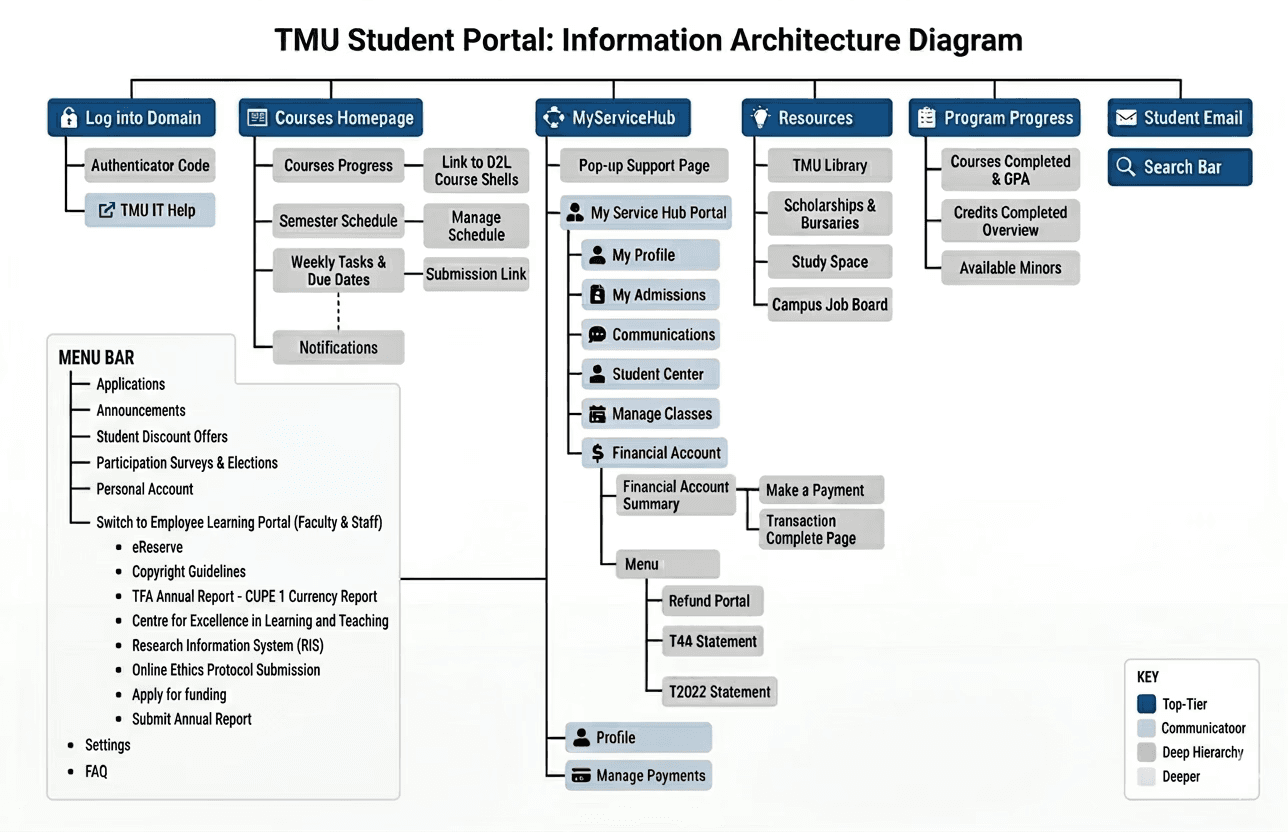
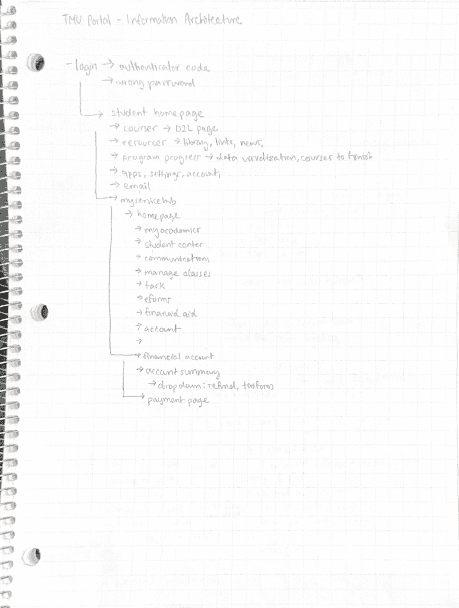
Information Architecture
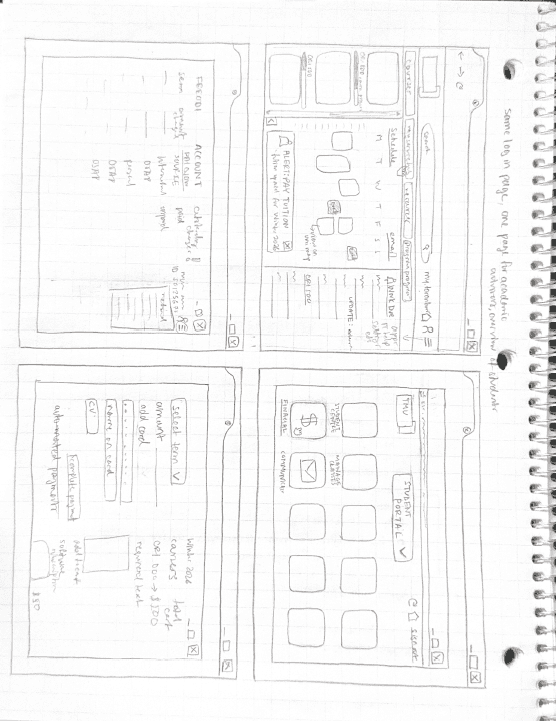
BRAINSTORM
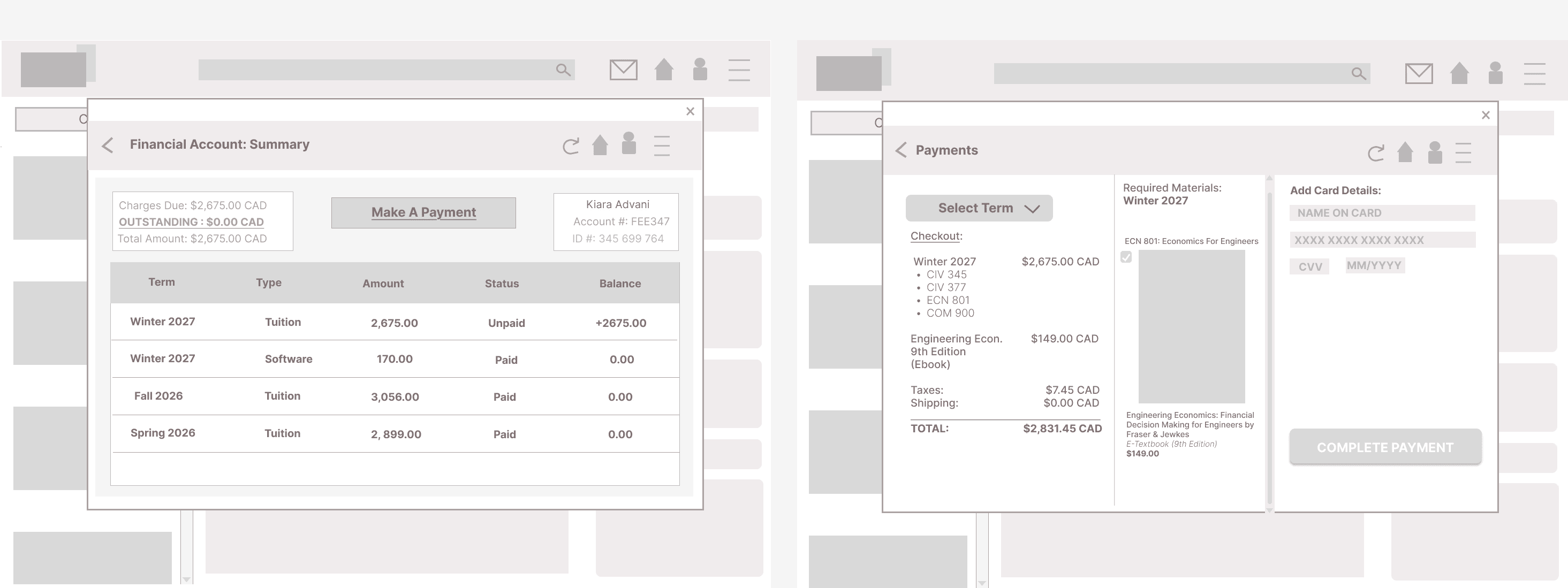
Wireframing
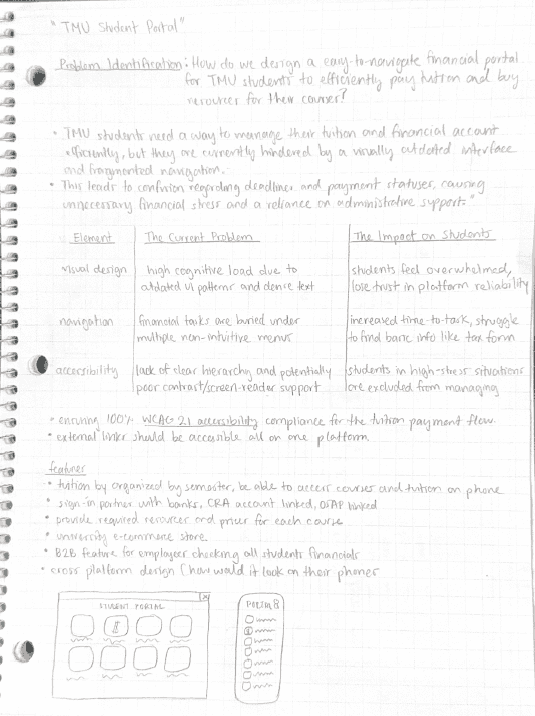
WCAG Standards Applied
The redesign followed WCAG 2.1 AA guidelines.
Accessibility Improvements
Contrast Ratios
Text contrast exceeded 4.5:1
Interactive elements exceeded accessibility standards
Typography
Increased font sizes for readability
Improved line spacing
Reduced all-caps usage
Interactive Components
Larger click targets
Keyboard accessibility support
Consistent focus states
Cognitive Accessibility
I intentionally:
Reduced visual noise
Simplified language
Limited competing actions
Increased predictability
This was especially important for neurodivergent users.
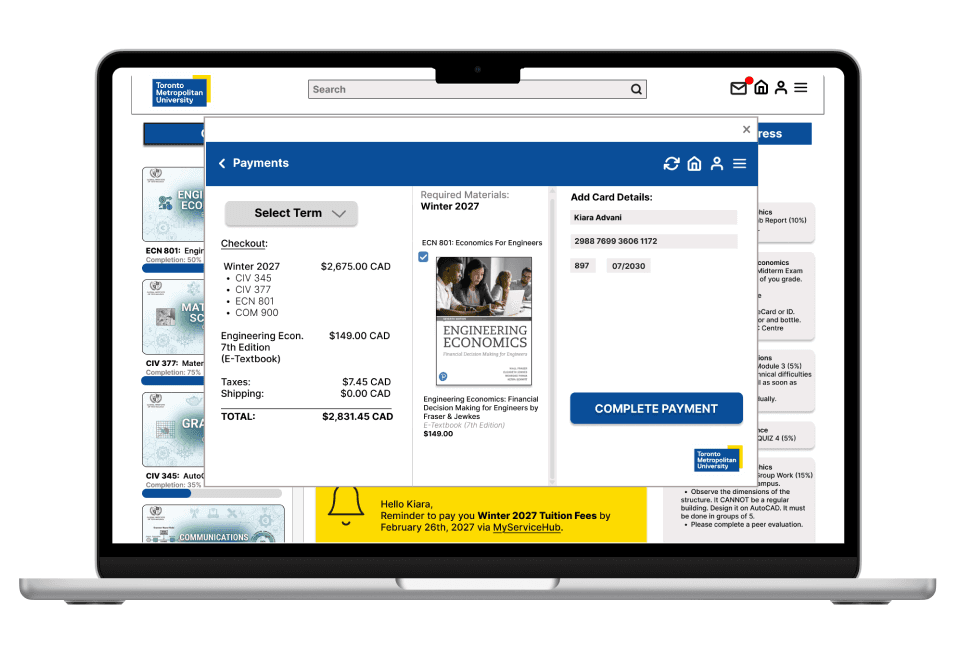
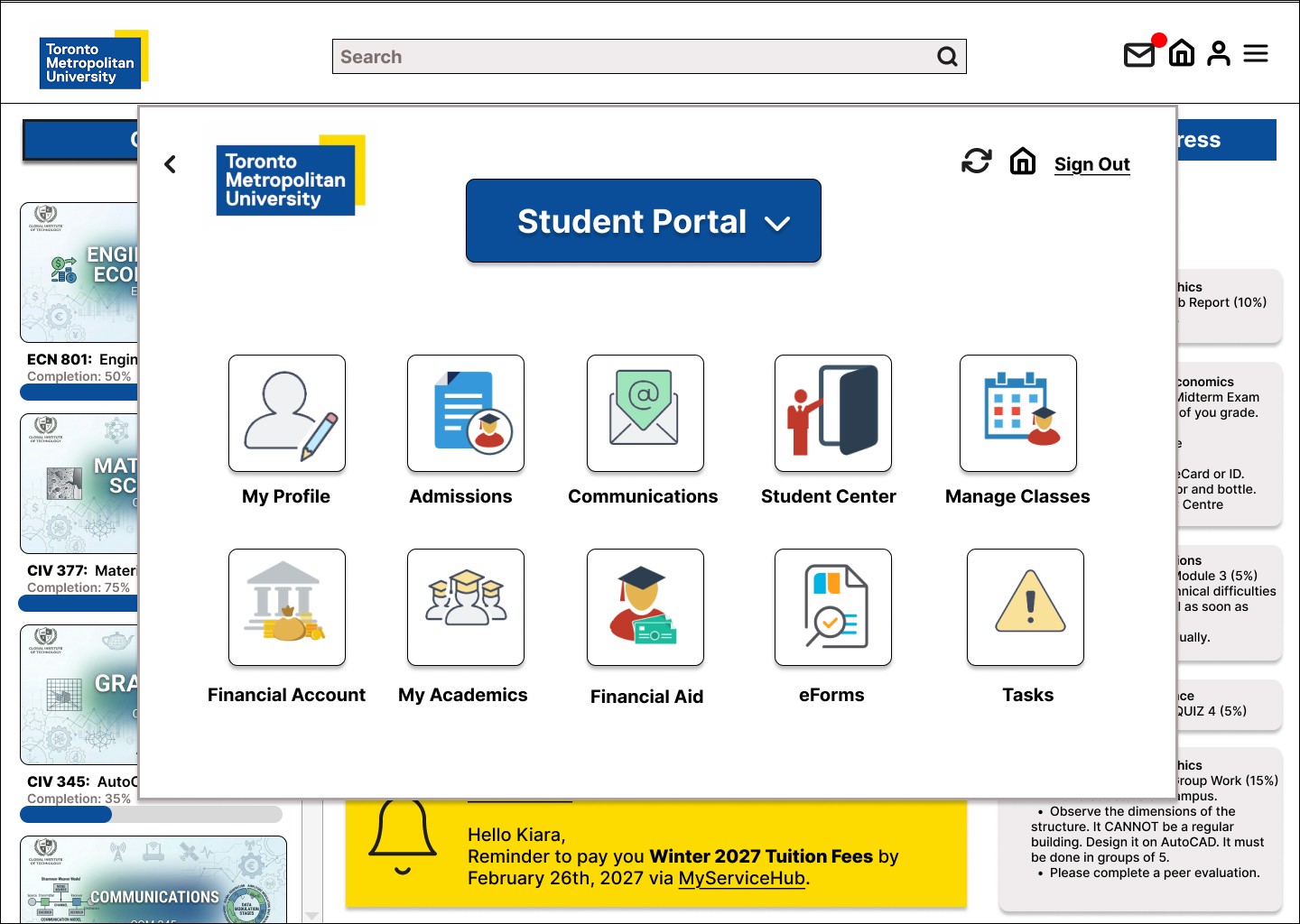
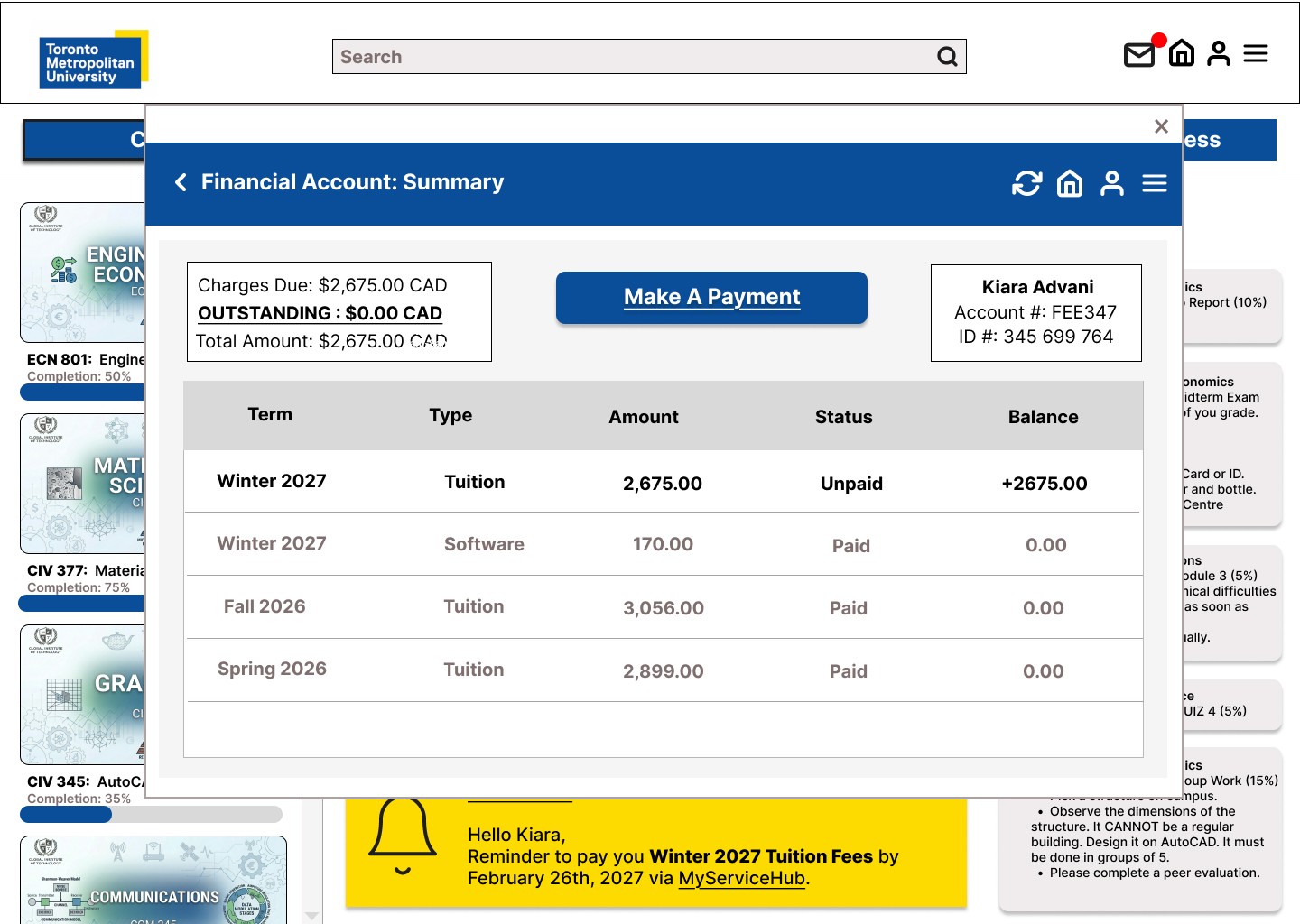
Simplified Financial Dashboard
I redesigned the tuition page to prioritize:
Outstanding balance
Payment status
Next action
This reduced scanning effort and improved payment clarity.
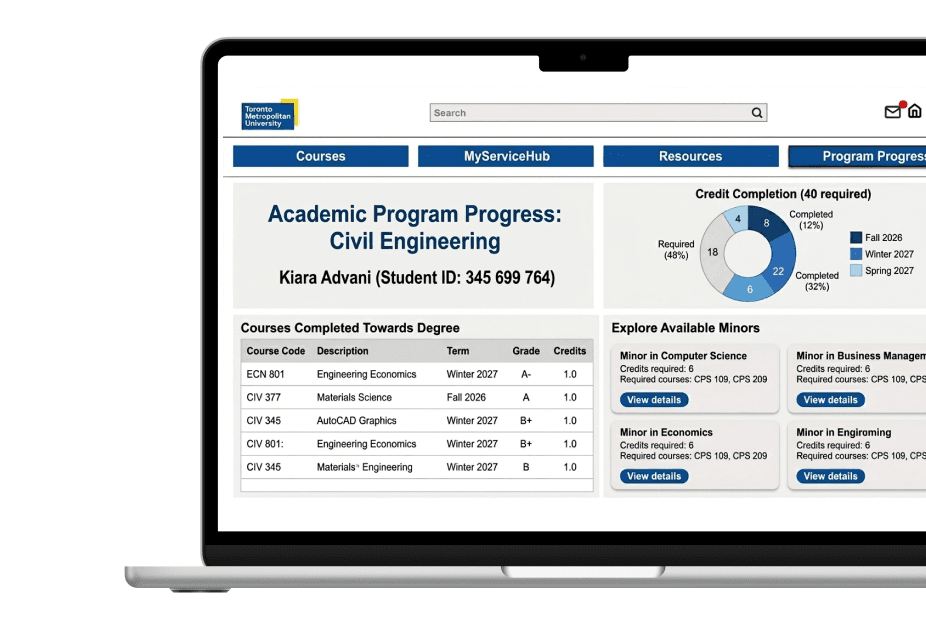
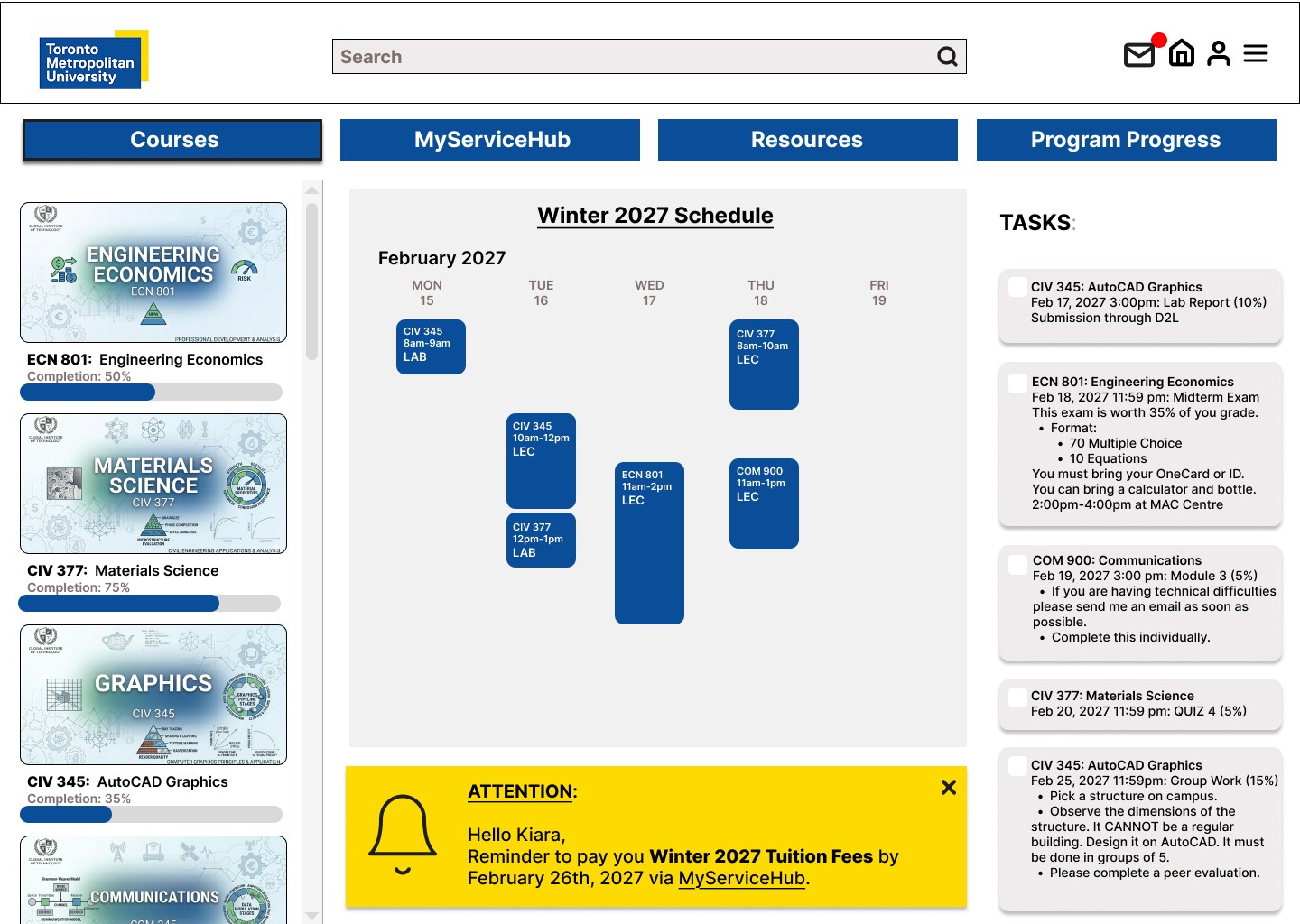
Modular Card Layouts
I used card-based layouts to:
organize information
improve scanability
reduce visual clutter
create predictable interaction patterns
Strong Visual Hierarchy
I improved readability using:
larger typography
consistent spacing
clearer section separation
high-contrast headings
Accessibility Improvements
The redesign followed WCAG 2.1 AA standards.
I improved:
contrast ratios
keyboard navigation
touch target sizes
typography readability
cognitive accessibility
I also reduced visual noise and simplified language to support neurodivergent students.
DESIGN
High Fidelity
VALIDATE
Prototype Iteration
Key Iterations
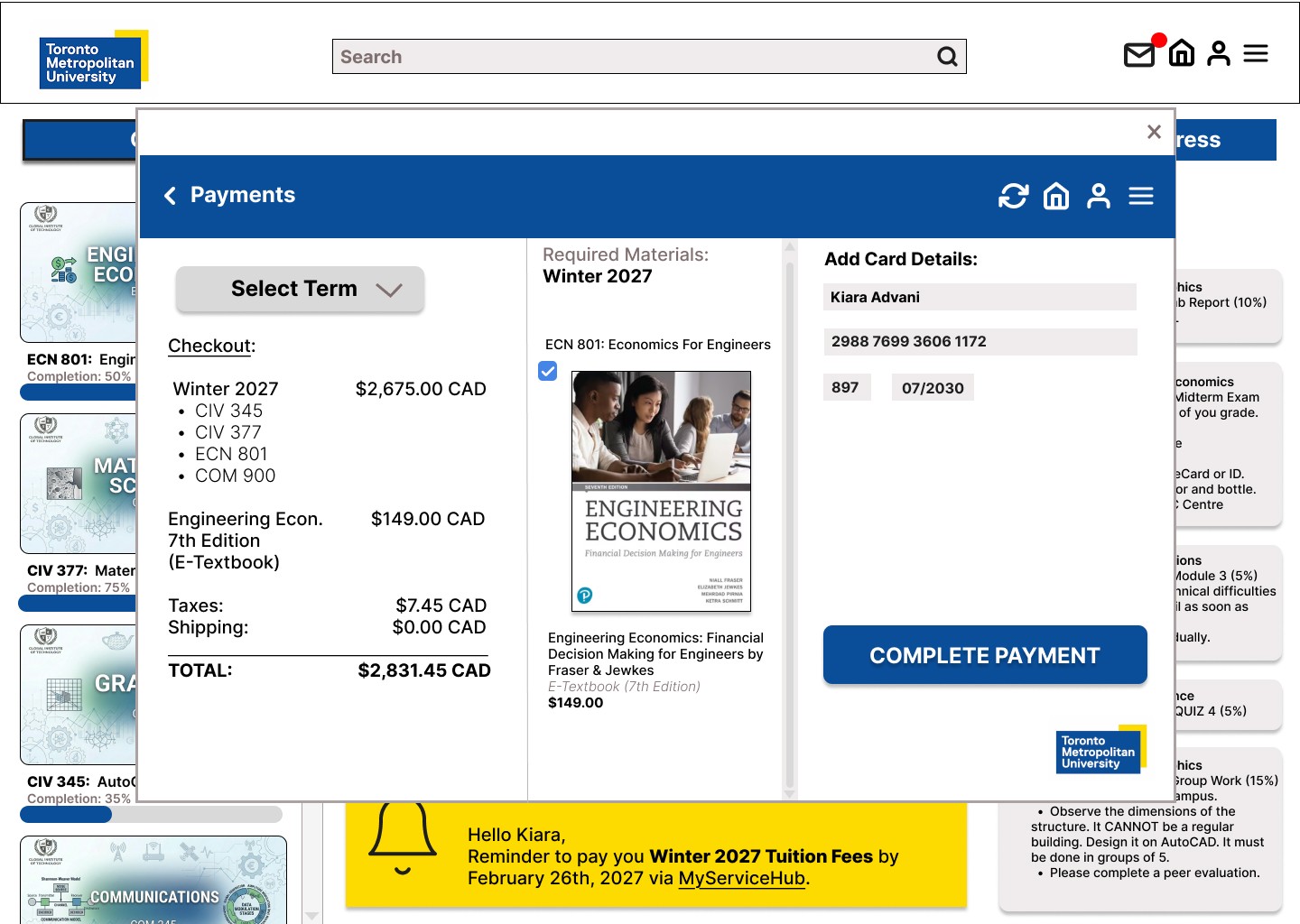
Improved Payment CTA Visibility
Users initially overlooked payment actions, so I increased contrast, spacing, and button prominence.
Simplified Academic Progress Labels
Students misunderstood credit progress percentages, so I simplified labels and chart explanations.
Reduced Visual Noise
I removed unnecessary borders, repetitive information, and secondary text to improve focus.
Students later described the redesign as:
“Cleaner”
“Less stressful”
“Much easier to scan”
Impact & Reflection
The redesign successfully:
improved payment confidence
increased navigation clarity
improved accessibility compliance
simplified academic planning
reduced cognitive load
reduced cognitive load
What I Learned
Accessibility Improves UX for Everyone
Improved spacing, hierarchy, and readability benefited all students, not just users with accommodations.
Prioritization Reduces Stress
Users do not always need less information; they need clearer prioritization and guidance.
Collaboration Strengthens Design
Working with engineers and accessibility advisors helped create solutions that were both user-centered and technically realistic.
Future Opportunities
If the project continued, I would explore:
AI-powered reminders
personalized dashboards
focus modes for neurodivergent users
enhanced mobile-first experiences
This project strengthened my ability to design accessible, systems-focused experiences that simplify complex workflows and build user confidence